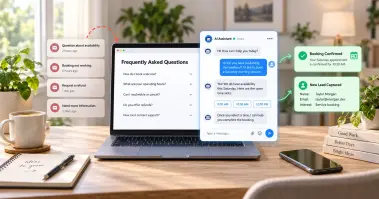

Telecom companies handle millions of customer interactions every single day. In 2026, over 65% of telecom customers expect a response in under 5 minutes. Yet most support teams still make customers wait on hold for 8 to 12 minutes on average. That gap is costing you leads, loyalty, and revenue. AI chatbots in the telecom industry are changing that fast. Businesses using conversational AI report up to a 30% drop in support costs and a 67% lift in lead conversions. If your telecom company is still relying on slow email replies and overloaded call centers, this blog is for you. We will show you exactly how to deploy PerfectCSR and what it can do for your telecom customer support.
Why Telecom Customer Support Needs AI Right Now
Telecom is one of the most query-heavy industries in the world. Your customers want answers about plans, outages, coverage, billing questions, upgrades, and more. They want those answers right now, not tomorrow morning. The problem is that human agents can only handle so many chats at once. Peak hours flood your support queue,while after-hours queries go completely unanswered. Leads that come in at night move on to your competitor by morning.
This is where AI chatbots for telecom step in. A well-deployed AI chatbot handles the high volume of common queries instantly. It frees your human agents to focus on complex issues that actually need a real person. The result is faster response times, lower support costs, and better customer satisfaction across the board.
What PerfectCSR Actually Does for Telecom Companies
Before we walk you through deployment, let us be clear about what PerfectCSR does and does not do. We are not a generic chatbot platform. PerfectCSR is an AI chatbot agent trained on your own telecom company's content. It learns your plans, your services, your FAQs, and your brand voice. Then it goes live on your website in under 10 minutes.
Here is what our AI chatbot delivers for telecom companies specifically.
Answers Frequently Asked Questions Around the Clock
Telecom customers ask the same questions constantly. What plans do you offer? What is covered in my area? How do I upgrade my plan? How do I reach support? PerfectCSR handles all of these common queries instantly, 24/7, without a human agent needed. Your customers get real answers in real time, even at 2 AM on a weekday and at 10 PM on a weekend.
Captures Leads Before They Leave Your Site
Most telecom websites get a steady flow of visitors who browse and then disappear. Our Lead Generation User Lead Form captures visitor information the moment they open the chat widget. Name, email, phone number, any field you need. No more anonymous visitors. Every visitor who opens the chat becomes a contactable lead for your sales team.
Books Appointments and Consultation Calls
If your telecom business offers consultations, demos, or sales calls, our Appointment Scheduler persona handles the entire booking process. It syncs with your calendar, sends confirmations, and manages reschedules automatically. You never lose a booking to a slow response again.
Routes Urgent Queries to Live Agents
Not every conversation should stay with the bot. When a customer needs a real person, our Instant Agent Handover feature transfers the full conversation with one click. Your live agent sees the complete chat history, the visitor's contact details, and the page they came from. Nothing gets lost this way and your human agent picks up the conversation seamlessly.
Turns Unresolved Questions Into Training Opportunities
Every question our AI chatbot cannot confidently answer gets logged in our Unresolved Chat Log. Your team reviews these gaps, updates the training, and the bot gets smarter every week. Over time, your telecom chatbot handles more and more without any human involvement.
Step-by-Step: How to Deploy PerfectCSR for Your Telecom Company
You do not need a developer or extensive technical knowledge. Here is the full deployment process from start to live.
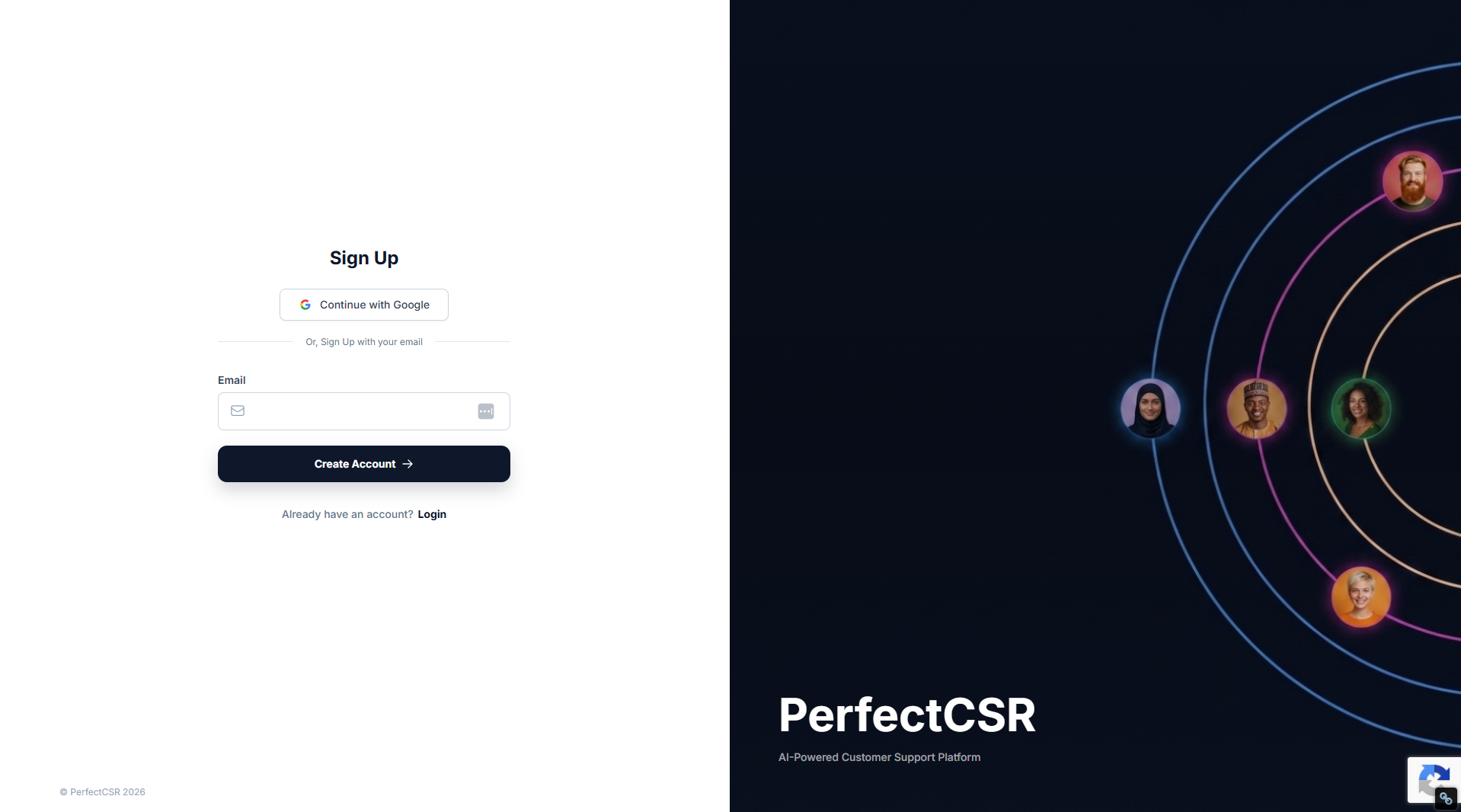
Step 1: Sign Up for Free
First you have to create your account using your business email. No credit card is required. You get full access to every feature for 30 days at zero cost. The sign-up process takes less than 60 seconds.
Step 2: Create Your Bot and Set the Basics
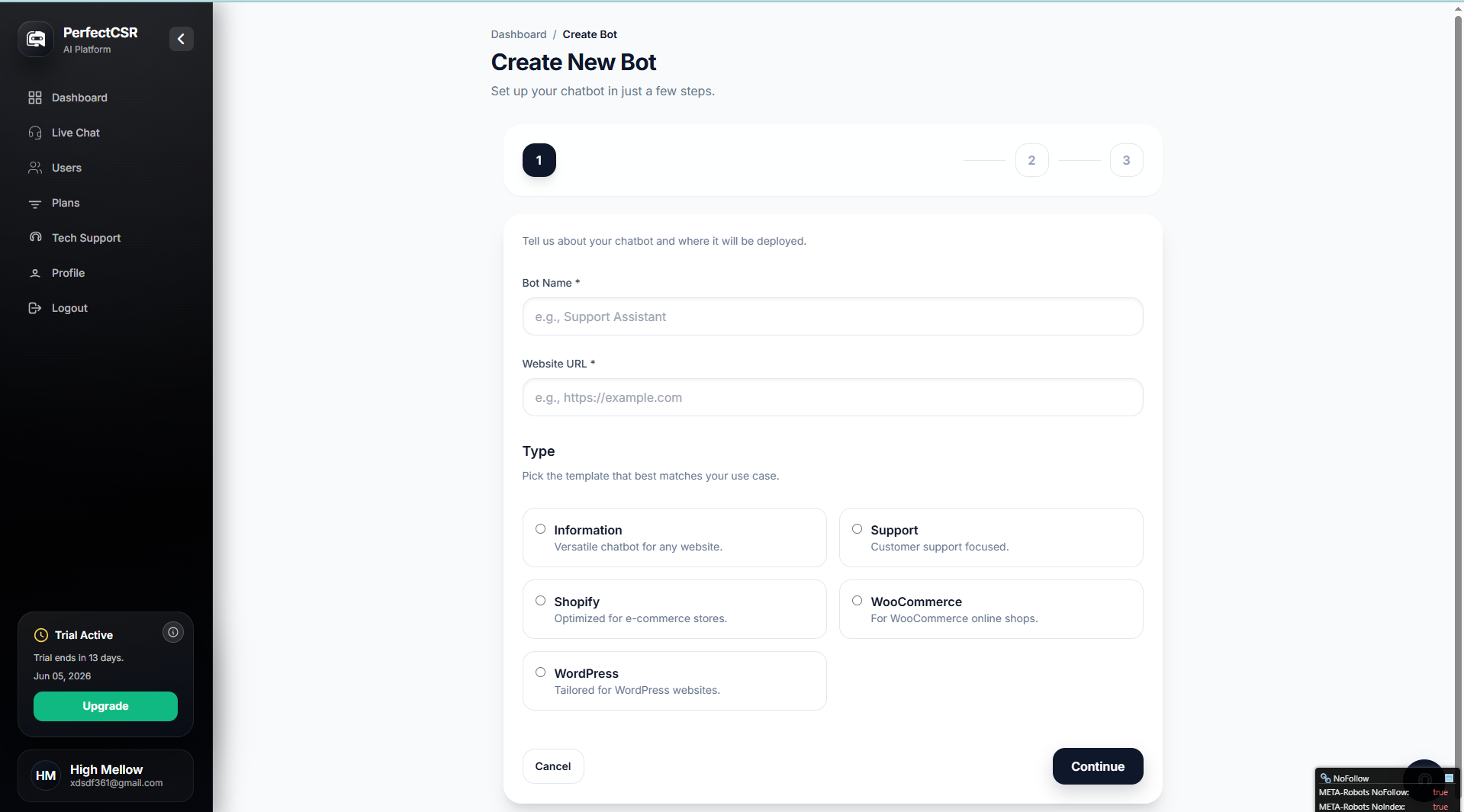
Inside your dashboard, click Create New Bot. You will enter three things:
- Bot Name: The name your chatbot uses when it greets your telecom visitors.
- Website URL: The link PerfectCSR uses to crawl your website content.
- Bot Type: Choose the template that fits your operations best.
For most telecom companies, the Support template or the Information template works well depending on whether your primary goal is resolving customer queries or converting visitors into leads.
Step 3: Train Your Bot on Your Telecom Content
This is where PerfectCSR gets powerful. Our AI chatbot agent does not rely on pre-written scripts. It learns from your actual content. You have five training input methods available.
- Website URLs allow our AI chatbot to crawl your telecom website automatically. Your plan pages, coverage information, FAQ section, service descriptions, and support pages all become part of the bot's knowledge base. It can process up to 500 pages in a single session. You then select up to 25 pages to train on.
- Documents let you upload files your team already uses. Product comparison sheets, plan detail PDFs, internal FAQs, and Ai customer service guides all become training material the moment you upload them.
- Pasted Text is useful for information your team knows but that has never been written into a public page. Seasonal promotions, internal scripts, and common objection responses can all be added this way.
- YouTube Links turn your telecom product videos and tutorials into bot knowledge. If you have walkthrough videos explaining your plans or services, the bot transcribes and learns from them.
- Voice Notes let you record yourself explaining a product, a process, or a customer scenario. The bot transcribes your words and learns how you actually talk to customers.
This is what separates this AI chatbot agent from tools that only scrape your homepage. Your telecom chatbot learns the full depth of your business across every format you already use.
Step 4: Choose the Right Persona
You have the freedome to choose between three personas and you can switch between them at any time.
- The Sales Rep persona is built for conversion. It engages visitors with your telecom plan details, highlights value, and moves hesitant visitors toward a decision. This is ideal if your primary goal is to turn website traffic into paying telecom customers.
- The Helpful CSR persona is warm and professional. It answers support questions the way your best front-desk hire would. This is the right choice if your main focus is resolving telecom customer queries quickly and accurately.
- The Appointment Scheduler persona handles booking end to end. It syncs with your calendar, sends confirmations, and manages reschedules. If your team sells through consultations or demos, this persona handles that entire process for you.
Step 5: Set Up Your Visual Funnels and Shortcuts
Our Shortcuts feature lets you build guided conversation paths right inside the chat window. For a telecom company, you can create quick-tap buttons like:
"See our available plans"
"Check coverage in my area"
"Talk to a support agent"
"Book a free consultation"
These buttons guide visitors toward the actions you want them to take without them having to type anything. This is especially powerful for telecom customer engagement because it removes friction from the first moment of contact.
Step 6: Set Up Your Lead Generation Form
Turn on the User Lead Form feature. This places a short form at the start of the chat conversation. Your visitors submit their name, email, phone number, or any custom field you need before the conversation even begins. Every visitor who opens the chat becomes a real, contactable lead for your telecom sales team.
Step 7: Configure Team Access
You can use our Multi-Level User Integration to bring your team in. Admins control the bot settings, while managers review tickets and performance reports. Your agents handle live chats as they come in. Everyone sees exactly what they need and nothing more.
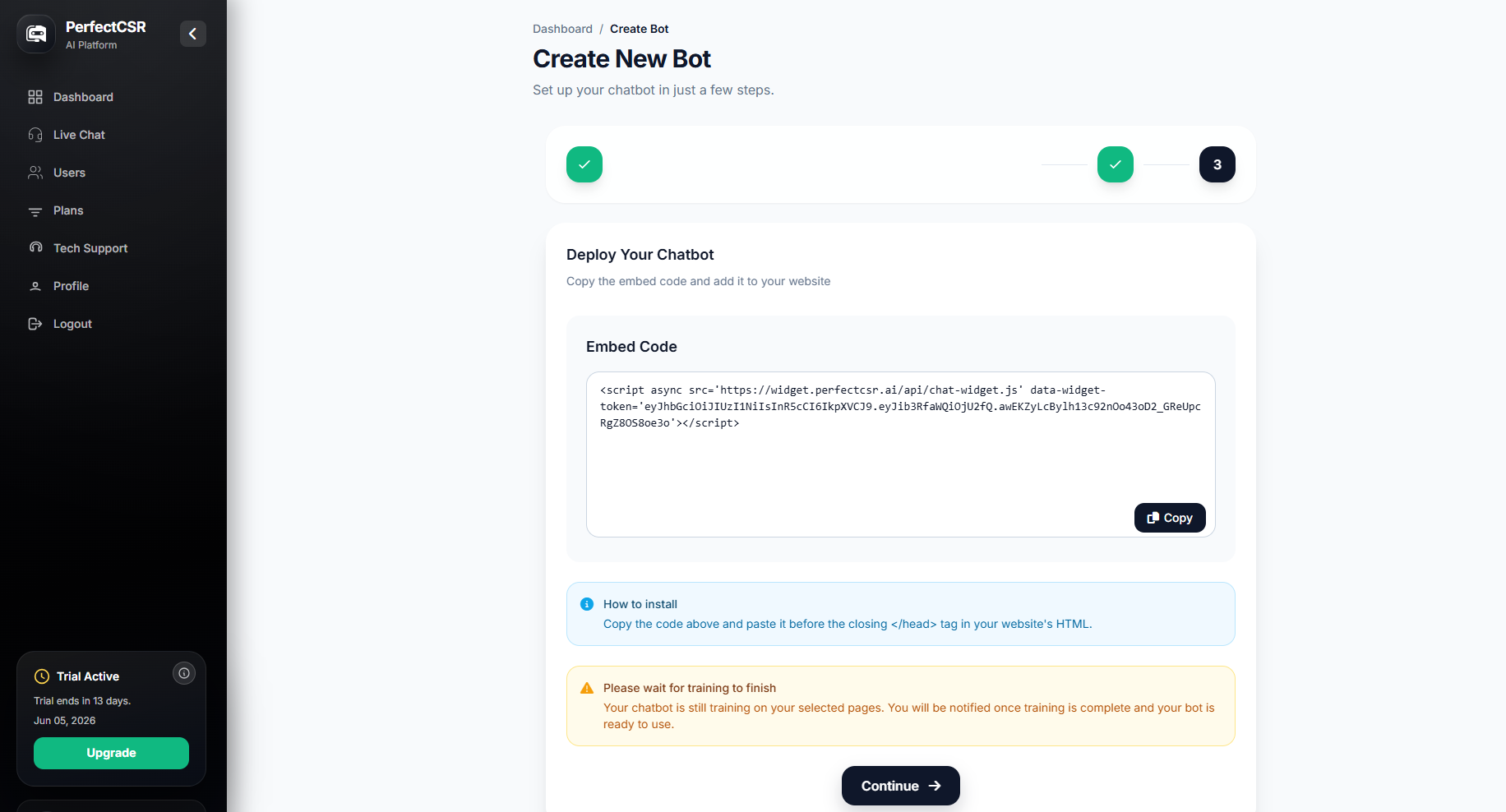
Step 8: Embed the Bot on Your Website
Once training is complete, it generates a single line of embed script. You paste it into your website header before the closing head tag. This works on every major website platform. Once it is live, visitors see the chat widget immediately and can start interacting with your AI chatbot agent.
You can also use our JavaScript API to trigger the chat window from any button, banner, or link on your telecom website. Your marketing team can control exactly when and where the chatbot appears.
Step 9: Test Before You Launch
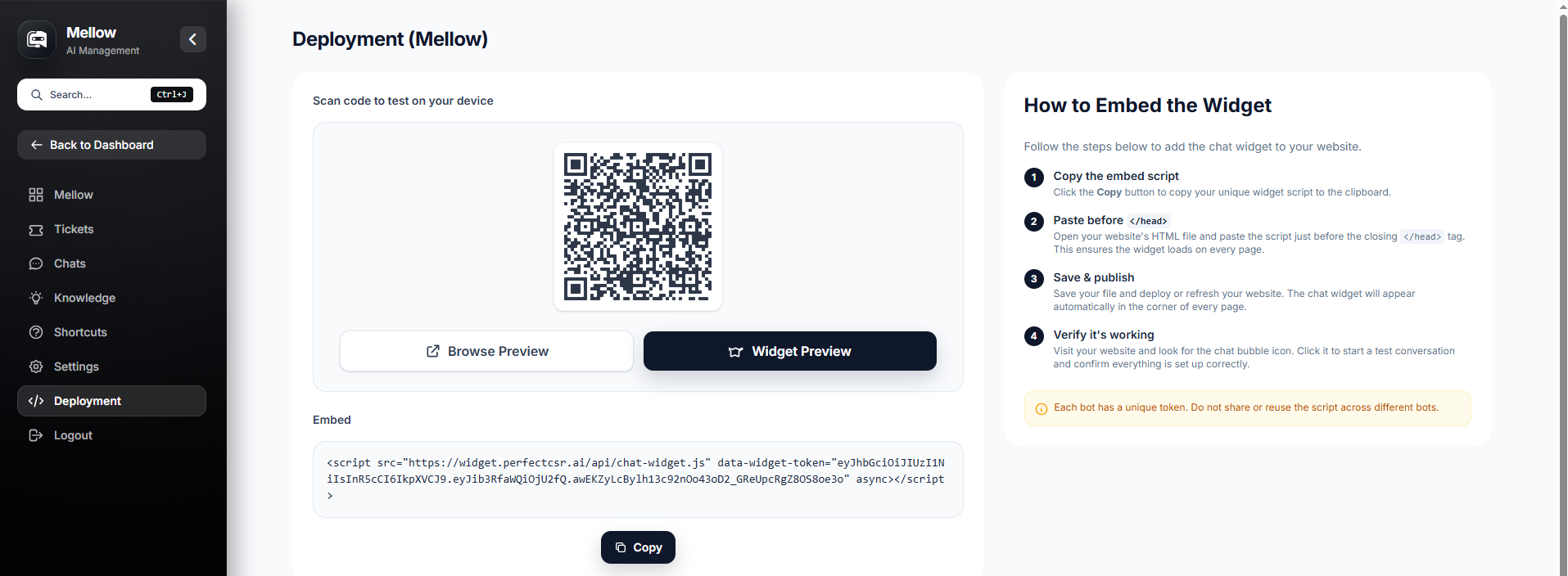
You can choose two ways to test before any customer sees your bot.
- QR Code Preview lets you test the bot on any mobile device by scanning a code.
- Browser Preview gives you the full desktop experience directly in your dashboard.
Ask the questions your most demanding telecom customers ask. Test billing questions, plan upgrade scenarios, coverage queries, and anything where a wrong answer could frustrate a customer. If the bot struggles anywhere, go back to the training panel, fill the gap, and retest. Once you are confident in the performance, publish and go live.
The Features That Keep Your Telecom Support Running Smoothly
Once your custom AI chatbot is live, here is what runs in the background to keep everything working properly.
Real-Time Analytics: track chats, messages, response rates, unresolved queries, and more. You can filter by date and see exactly how your telecom chatbot is performing. Use this data to prove ROI and spot areas to improve.
Live Chat Dashboard: gives your support team a single screen showing every pending, active, and resolved conversation in real time. Agents can jump in, transfer, and mark resolved without switching tools.
Automatic Ticket Creation: means every unresolved query and every live agent request becomes a structured ticket with the full chat history, visitor info, and source page included automatically.
Unresolved Chat Log: captures every question the bot could not confidently answer. Your team reviews the log, updates training, and the bot improves week after week.
Cloud-Based Security: keeps all your telecom data and customer information encrypted and secure. We never use your data to train models for anyone else.
Why Telecom Companies Choose PerfectCSR Over Generic Chatbots
Generic chatbots read one page and call it done. Our AI chatbot trains across five input types and retains everything permanently. Generic bots confuse visitors with scripted responses, let leads walk away anonymously and go offline at 5 PM. On the other hand, this powerful AI chatbot uses generative AI to give natural, accurate answers based on your actual telecom content. It also captures lead details before the conversation even starts and works 24/7, every single day, without a coffee break.
In the telecom industry, where customer expectations are high and competition is fierce, the difference between a good chatbot and the right chatbot shows up directly in your customer satisfaction scores and your monthly revenue.
A recent survey has shown that conversational AI can handle up to 80% of routine customer service interactions. For telecom companies managing thousands of daily queries, that is a significant reduction in workload and support costs.
Ready To Turn Conversations Into Customers?
Launch a no-code AI chatbot that answers questions, captures leads, and helps your business grow 24/7.
Start Your Chatbot FreeReady to Put PerfectCSR to Work for Your Telecom Business?
Your customers are not waiting until Monday morning to ask questions. They are on your website right now, and the business that answers first is the one that wins the deal. We make sure that business is always you! The setup takes less than 10 minutes and the impact starts from day one. Your telecom support runs around the clock without adding headcount, and every visitor who lands on your site has a reason to stay, engage, and convert. The businesses closing more deals are the ones responding faster. Start your free 30-day trial and make sure yours is one of them.
Frequently Asked Questions
How long does it take to set up PerfectCSR for a telecom website?
Under 10 minutes. You paste your website URL, pick your persona, and it trains itself on your content. No code is required.
Does PerfectCSR work on any telecom website platform?
Yes. The embed script works on every major website platform. For WordPress users, the WordPress bot type makes the setup even simpler.
Can the bot handle telecom-specific questions accurately?
Yes. Our AI chatbot trains on your own telecom content including your plan pages, FAQs, service descriptions, and documents. It answers based on your actual information, not generic scripts.
What happens when the bot cannot answer a question?
It tells the visitor a human will follow up, creates an automatic ticket with the full chat history and visitor details, and notifies your team. You can also trigger a live agent handover at any point in the conversation.
Can we capture leads through the chatbot?
Yes. The User Lead Form captures visitor information including name, email, phone, and any custom field you add before the conversation begins.